
96 lines
3.9 KiB
Markdown
96 lines
3.9 KiB
Markdown
# Apache Intranet
|
|
|
|
## Description
|
|
|
|
LXC containerized Apache webserver, hosted within Proxmox, featuring a fully automated deployment via Ansible
|
|
|
|
Serving a static HTML page, acting as the Intranet, providing a quick, user accessible way to reach internal only services
|
|
|
|
Additionally serving as a place to host temporary files within the LAN, and providing a centralized spot to monitor my SSL cert health and expiry dates
|
|
|
|
## Architecture Diagram
|
|
|
|
```
|
|
+----------------+
|
|
| Proxmox Host |
|
|
+----------------+
|
|
|
|
|
+------------------+
|
|
|Static Apache Page|
|
|
| (LXC) |
|
|
+------------------+
|
|
/ | | \
|
|
v v v v
|
|
+------------+ +--------+ +----------------+ +--------+ +------------+
|
|
| Jellyfin | | Grafana| |Simply Translate| | Calibre| | Other |
|
|
|(Bare-Metal)| | (LXC) | | (Docker) | | (VM) | | Services |
|
|
+------------+ +--------+ +----------------+ +--------+ +------------+
|
|
```
|
|
|
|
## Dependencies
|
|
- Apache
|
|
- A reserved or static IP
|
|
- Any modern browser capable of setting a custom home page
|
|
- Debian
|
|
|
|
## Creation Notes
|
|
|
|
I wanted a fast and easy way to access my internal only services without the need to memorize static IPs or set devices to utilize a custom DNS resolver
|
|
|
|
Consequently I decided to create and configure an LXC containerized Apache instance on my Proxmox server
|
|
|
|
Apache's function is to serve a static HTML page, acting as the Intranet
|
|
|
|
The container was given a bridged IP and granted a DHCP reservation
|
|
|
|
Apache and LXC containerization were chosen due to their extremely low resource requirement
|
|
|
|
Currently the container is utilizing merely 20MiBs of RAM out of its allocated 64
|
|
|
|

|
|
|
|
Once I had [coded the page](https://git.tobiastime.xyz/Tobias/Apache-LXC-Intranet/src/branch/main/index.html), and pointed Apache to the index file, I modified my Firefox settings to set it as my new homepage
|
|
|
|

|
|
|
|
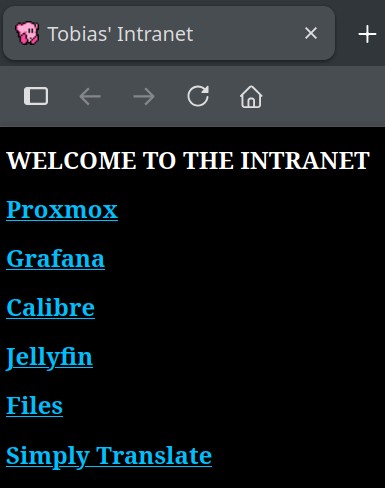
Every time I open my browser this is what I am now greeted with:
|
|
|
|
|
|
|
|
## File Host
|
|
|
|
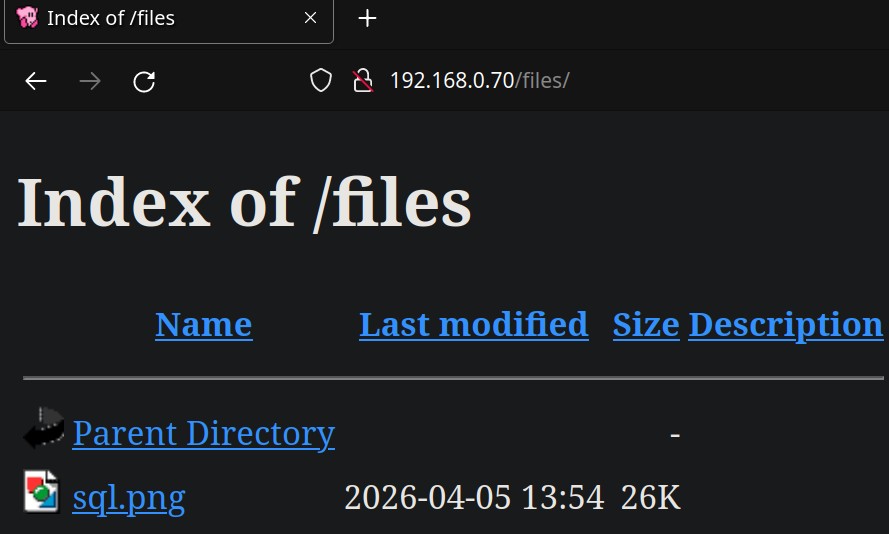
Additionally I decided to utilize Apache's directory sharing features to allow the serving and quick access of files over the LAN
|
|
|
|
I added this server block to my configuration
|
|
|
|
```
|
|
Alias /files /var/www/files
|
|
<Directory /var/www/files>
|
|
Options +Indexes
|
|
</Directory>
|
|
```
|
|
Breakdown:
|
|
|
|
- The alias maps the subdirectory accessed via the web of /files to the path on my system /var/www/files
|
|
- +Indexes specifies there isn't a typical index.html file to serve, rather it is a directory listing
|
|
|
|
After this I created a "jailed user" as detailed in my [BashDDNS page](https://git.tobiastime.xyz/Tobias/BashDDNS)
|
|
|
|
For a brief explanation, a jailed user is a restricted user who's only ability and purpose is to transfer files to a singular directory via SCP
|
|
|
|
A jailed user has their own dedicated SSH key, restricted SSH permissions, no login shell and a modified chroot directory limiting system visibility
|
|
|
|
After this, I created a function within my .bashrc file as follows:
|
|
|
|
``` bash
|
|
send2intra() {
|
|
scp -i /path/2/key "$1" jaileduser@192.168.0.70:/files"
|
|
}
|
|
```
|
|
|
|
This allows me to quickly type ```send2intra image.png``` in my terminal and have the file transfered to the container, hosted by Apache and available for download within miliseconds
|
|
|
|

|
|
|
|
|