
Apache Intranet
Description
LXC containerized Apache webserver hosted within Proxmox
Serving a static HTML page, acting as the Intranet
This provides a quick, user accessible way to reach internal only services
Architecture Diagram
                     +----------------+
                     |  Proxmox Host  |
                     +----------------+
                             |
                    +------------------+
                    |Static Apache Page|
                    |      (LXC)       |
                    +------------------+
                       /   |    |    \
                      v    v    v     v
  +------------+ +--------+ +----------------+ +--------+ +------------+
  | Jellyfin   | | Grafana| |Simply Translate| | Calibre| |   Other    |
  |(Bare-Metal)| | (LXC)  | |    (Docker)    | |  (VM)  | |  Services  |
  +------------+ +--------+ +----------------+ +--------+ +------------+
Dependencies
- Apache
- A reserved IP
- Any modern browser capable of setting a custom home page
Creation Notes
I wanted a fast and easy way to access my internal only services without the need to memorize static IPs or set devices to utilize a custom DNS resolver
Consequently I decided to create and configure an LXC containerized Apache instance on my Proxmox server
Apache's function is to serve a static HTML page, acting as the Intranet
Said container was given a bridged IP and granted a DHCP reservation for continuous availability and ease of management
Apache and LXC containerization were chosen due to their extremely low resource requirement
Currently the container is utilizing merely 20MiBs of RAM out of its allocated 64

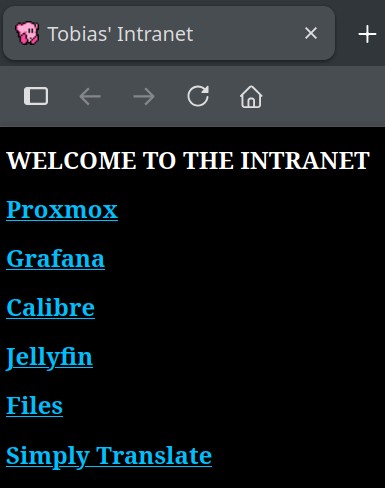
Once I had coded the page and pointed Apache to the index I modified my Firefox settings to set it as my new homepage

Every time I open my browser this is what I am now greeted with:
File Host
Additionally I decided to utilize Apache's directory sharing features to allow the serving and quick access of files over the LAN
I added this server block to my configuration
Alias /files /var/www/files
    <Directory /var/www/files>
        Options +Indexes
    </Directory>
Breakdown:
- The alias maps the subdirectory accessed via the web of /files to the path on my system /var/www/files
- +Indexes specifies there isn't a typical index.html file to serve, rather it is a directory listing
After this I created a "jailed user" as detailed in my BashDDNS page
Essentially it is a restricted user who's only function and ability is to transfer files to a singular directory via SCP
With their own SSH key, restricted SSH permissions, no login shell and a modified chroot directory limiting system visability
After this I created an alias within my .bashrc file as follows:
alias send2intra="scp -i /path/2/key "$1" jaileduser@192.168.0.70:/files"
This allows me to quickly type send2intra image.png in my terminal and have the file transfered to Apache, hosted and available for download within miliseconds