3.8 KiB
Apache Intranet
Description
LXC containerized Apache webserver hosted within Proxmox.
Serving a static HTML page, acting as the Intranet.
This provides a quick, user accessible way to reach internal only services.
Featuring an Ansible playbook automating deployment.
Architecture Diagram
                     +----------------+
                     |  Proxmox Host  |
                     +----------------+
                             |
                    +------------------+
                    |Static Apache Page|
                    |      (LXC)       |
                    +------------------+
                       /   |    |    \
                      v    v    v     v
  +------------+ +--------+ +----------------+ +--------+ +------------+
  | Jellyfin   | | Grafana| |Simply Translate| | Calibre| |   Other    |
  |(Bare-Metal)| | (LXC)  | |    (Docker)    | |  (VM)  | |  Services  |
  +------------+ +--------+ +----------------+ +--------+ +------------+
Dependencies
- Apache
- A reserved or static IP
- Any modern browser capable of setting a custom home page
Creation Notes
I wanted a fast and easy way to access my internal only services without the need to memorize static IPs or set devices to utilize a custom DNS resolver
Consequently I decided to create and configure an LXC containerized Apache instance on my Proxmox server
Apache's function is to serve a static HTML page, acting as the Intranet
The container was given a bridged IP and granted a DHCP reservation allowing centralized management
Apache and LXC containerization were chosen due to their extremely low resource requirement
Currently the container is utilizing merely 20MiBs of RAM out of its allocated 64

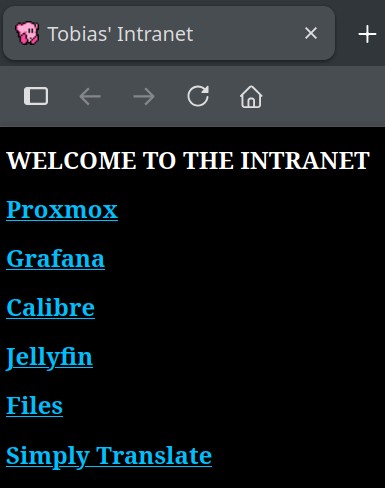
Once I had coded the page, and pointed Apache to the index file, I modified my Firefox settings to set it as my new homepage

Every time I open my browser this is what I am now greeted with:
File Host
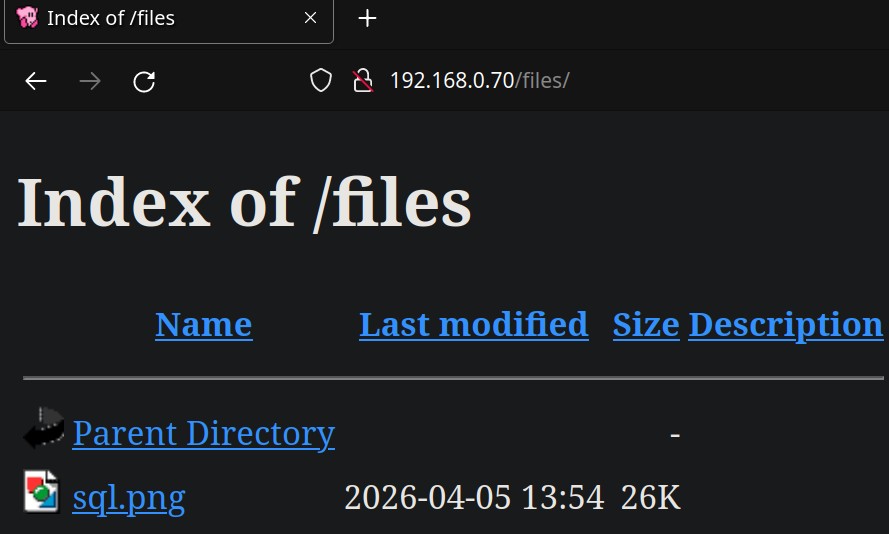
Additionally I decided to utilize Apache's directory sharing features to allow the serving and quick access of files over the LAN
I added this server block to my configuration
Alias /files /var/www/files
    <Directory /var/www/files>
        Options +Indexes
    </Directory>
Breakdown:
- The alias maps the subdirectory accessed via the web of /files to the path on my system /var/www/files
- +Indexes specifies there isn't a typical index.html file to serve, rather it is a directory listing
After this I created a "jailed user" as detailed in my BashDDNS page
For a brief explanation, a jailed user is a restricted user who's only ability and purpose is to transfer files to a singular directory via SCP
A jailed user has their own dedicated SSH key, restricted SSH permissions, no login shell and a modified chroot directory limiting system visibility
After this, I created a function within my .bashrc file as follows:
send2intra() {
scp -i /path/2/key "$1" jaileduser@192.168.0.70:/files"
}
This allows me to quickly type send2intra image.png in my terminal and have the file transfered to the container, hosted by Apache and available for download within miliseconds