
149 lines
6.6 KiB
Markdown
149 lines
6.6 KiB
Markdown
# Custom RAID Storage Solution
|
|
|
|
## Motivation
|
|
|
|
The server that runs tobiastime.xyz and various services I utilize daily is actually a SFF PC from 2012. Due to it's tiny size I can't fit harddrives within the machine's case, they must exist outside of it.
|
|
|
|
Previously I utilized an external USB drive bay for mass storage, however I wanted to implement redundancy and fault tolerance for my disks. Due to my device's relatively weak CPU, as well as heavy performance limitations, software level RAID via mdadm was out of the question, I needed a dedicated hardware controller.
|
|
|
|
From what I researched there does not exist a consumer-grade external USB drive bay that supports RAID and can house as many drives as I wish to connect (8). Consequently I began to blueprint my custom RAID storage solution. I had two demands from the solution, #1 that it functions, and #2 that it is affordable.
|
|
|
|
## Overview
|
|
|
|
```
|
|
ATX PSU and SFF PC receive power from mains
|
|
↓
|
|
ATX Breakout Board activates PSU
|
|
↓
|
|
6 pin power supply cables provide power to SATA drives from ATX PSU
|
|
↓
|
|
SATA breakout cables connect from drive data pins to external facing SAS ports on RAID card
|
|
↓
|
|
USB fan plugged into PC port and bound by silicone adhesive to heat sink cools RAID card
|
|
↓
|
|
RAID controller / array is managed from within the Linux OS utilizing MegaCLI
|
|
```
|
|
|
|
## Hardware
|
|
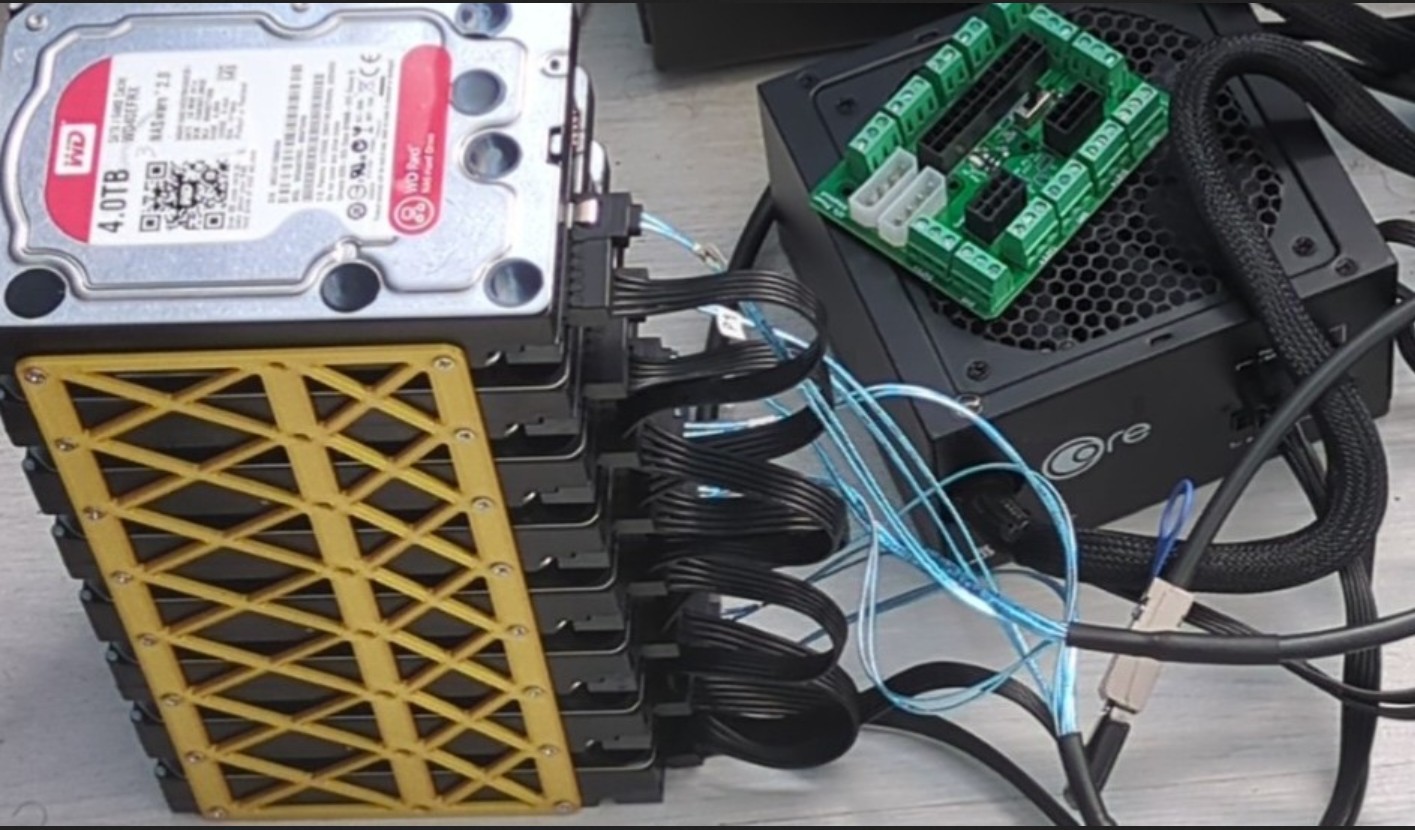
- 8x 4TB WD HDDs
|
|
- 1x LSI MegaRAID SAS 9286-8e PCIe card
|
|
- 1x Semi-Modular ATX PSU
|
|
- 1x ATX Breakout Board
|
|
- 2x Mini-SAS 26 pin to 4X SATA 7 pin breakout cable
|
|
- 2x ATX PSU 6 pin to 4X SATA 15 pin power cable
|
|
- 1x 40mm 5v USB fan
|
|
- 1x 3.5 inch HDD enclosure holding 8 drives
|
|
|
|
## Raid Array Configuration
|
|
- Controller: LSI MegaRAID SAS 9286-8e
|
|
- RAID Level: RAID 6 (dual parity)
|
|
- Total storage: 32TB raw, 24TB usable
|
|
- Acts as a single logical ext4 drive
|
|
- Auto-mounted via UUID with fstab
|
|
- Data migrated from old drives with rsync, after which they were decommissioned
|
|
|
|
I chose RAID 6 as the drives which I am using within the array were sourced 2nd hand, I am willing to sacrifice storage for the safety and redundancy dual parity provides with these riskier drives.
|
|
|
|
## Useful Aliases
|
|
|
|
Within my .bashrc file I created a few useful quick hand aliases as I find MegaCLI's syntax to be rather obtuse and non-standard.
|
|
|
|
```
|
|
alias raidtemp="sudo megacli -AdpAllInfo -aAll | grep -i 'roc'"
|
|
```
|
|
|
|
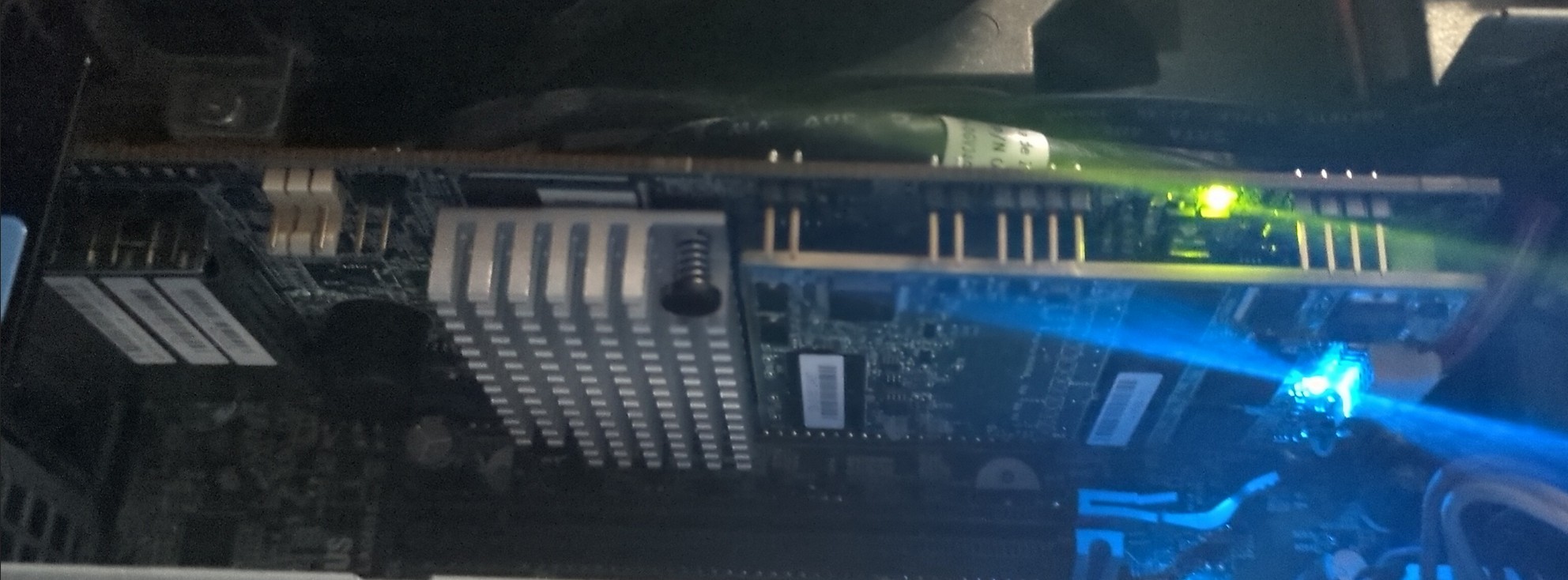
This lists the current temperature of the RAID card's controller. It's something I wanted to monitor, as initially, when I first plugged the card into my SFF PC it was reaching temperatures [above 90 degrees](https://git.tobiastime.xyz/Tobias/Breakout-ATX-RAID/raw/branch/main/images/bad_temp.jpg).
|
|
|
|
This is due to the fact these cards are typically created with the intention of being placed in extremely well cooled servers not a SFF PC from 2012.
|
|
|
|
After binding a 40mm USB fan with silicone adhesive directly onto the card's heat sink its operating temperatures became much more acceptable, sitting [around 60 degrees](https://git.tobiastime.xyz/Tobias/Breakout-ATX-RAID/raw/branch/main/images/good_temp.jpg) or so.
|
|
|
|
```
|
|
alias raidls="sudo megacli -PDList -aALL | grep -E 'Slot Number|Firmware state|S.M.A.R.T|Temperature'"
|
|
```
|
|
This condenses MegaCLI's default detailed information about drives within the array to just the relevant information I am interested in monitoring, namely the drive's number, if it's online, if it has any S.M.A.R.T warnings and it's temperature.
|
|
|
|
|
|
```
|
|
alias raidinfo="sudo megacli -LDInfo -Lall -aALL"
|
|
```
|
|
|
|
This provides information about the array itself including the array's usable size, parity size, sector size, state and encryption type.
|
|
|
|
## Automated Monitoring
|
|
|
|
To automate monitoring of the RAID array's health and drive status I created a Bash script, ran every 3 hours with cronjobs, which emails me [utilizing my self hosted mail accounts](https://git.tobiastime.xyz/Tobias/Mail-Server).
|
|
|
|
It will sent a notification if any drive has a S.M.A.R.T alert, if the RAID array's health or battery health is reported as anything but optimal via MegaCLI.
|
|
|
|
This saves me having to manually monitor and check the health of the drives and array, but will still bring anything requiring direct intervention to my attention affording me apt time to respond before an incident occurs.
|
|
|
|
Moreover it logs the controller's current temperature to a centralized log file, managed via logrotate, to assist in spotting any premature fan issues.
|
|
|
|
Script:
|
|
|
|
``` bash
|
|
#/bin/bash
|
|
|
|
#If any drive returns yes for a S.M.A.R.T alert email me
|
|
|
|
megacli -PDList -aALL | grep -i 's.m.a.r.t' | grep -i 'yes' &&\
|
|
\
|
|
echo -e "To: tobias@tobiastime.xyz\nFrom: snorlax@tobiastime.xyz\nSubject: RAID Drives\nA RAID Drive on Snorlax has had a flagged S.M.A.R.T alert at $(date)" | ssmtp tobias@tobiastime.xyz
|
|
|
|
#If raid health is anything but optimal email me
|
|
|
|
raidhealth=$(megacli -LDInfo -Lall -aALL | awk 'NR==11 {print $3}')
|
|
|
|
[ "$raidhealth" != "Optimal" ] && \
|
|
echo -e "To: tobias@tobiastime.xyz\nFrom: snorlax@tobiastime.xyz\nSubject: RAID Array\nMegaCLI has reported the RAID array is not currently operating in an optimal state at $(date)" | ssmtp tobias@tobiastime.xyz
|
|
|
|
#If the battery health is anything but optimal email me
|
|
|
|
batteryhealth=$(megacli -AdpBbuCmd -aALL | awk 'NR==8 {print $3}')
|
|
|
|
[ "$batteryhealth" != "Optimal" ] && \
|
|
echo -e "To: tobias@tobiastime.xyz\nFrom: snorlax@tobiastime.xyz\nSubject: RAID Array\nMegaCLI has reported the RAID card's battery is no longer in an optimal state of health at $(date)" | ssmtp tobias@tobiastime.xyz
|
|
|
|
#Write current RAID controller temp to log file
|
|
|
|
logfile=/var/log/raidtemp.log
|
|
|
|
raidtemp=$(megacli -AdpAllInfo -aAll | grep -i 'roc temperature' | awk '{print $4}')
|
|
|
|
echo "The RAID controller's temperature is "$raidtemp" degrees celsius at $(date)" >> "$logfile"
|
|
|
|
#If the RAID card's temp is above 80 degrees email me
|
|
|
|
[ "$raidtemp" -gt 80 ] && echo -e "To: tobias@tobiastime.xyz\nFrom: snorlax@tobiastime.xyz\nSubject: RAID Array\nMegaCLI has reported the RAID card's temperature is above 80 degrees celsius at $(date)" | ssmtp tobias@tobiastime.xyz
|
|
```
|
|
|
|
Crontab Entry, (this runs the script every 3 hours):
|
|
|
|
```
|
|
0 */3 * * * /home/myuser/myscripts/raidnotifier
|
|
```
|
|
|
|
Logrotate Configuration File:
|
|
|
|
```
|
|
/var/log/raidtemp.log {
|
|
rotate 4
|
|
weekly
|
|
compress
|
|
missingok
|
|
notifempty
|
|
create 644 myuser myuser
|
|
}
|
|
|
|
```
|
|
|
|
## Hardware Images
|
|
|
|
PCIe RAID card before USB fan was bound to heat sink:
|
|
|
|
|
|
|
|
Drives, PSU and ATX breakout board:
|
|
|
|
 |